 9 May 2026

Speed up releases and ship confidently with Playwright
9 May 2026
 10 min 16 sec
  BY
Aparna Arangil
BY
Aparna Arangil
Shipping fast without breaking things is the defining challenge for every startup CTO and founder in India and the UAE right now. Your sprint cycles are tight, your QA bandwidth is limited, and every delayed release costs you market momentum. Most teams hesitate to invest in test automation because they associate it with slow setup times, brittle scripts, and pipelines that fail for mysterious reasons. That hesitation is expensive. Playwright automation changes the equation by making fast, reliable, cross-browser testing genuinely achievable for lean engineering teams, without the overhead that traditionally killed automation initiatives before they delivered value.
Table of Contents
- Why Playwright is the best fit for fast-moving startups
- Getting started: Playwright setup essentials for lean teams
- Step-by-step: Implementing robust Playwright test automation
- Troubleshooting and optimizing: Common pitfalls and quality boosters
- Measuring results: Ensuring faster, more confident releases
- Perspective: The real secret to sustainable speed is addressing root causes, not masking flakiness
- Take Playwright automation further with expert-backed solutions
- Frequently asked questions
Key Takeaways
| Point | Details |
|---|---|
| Playwright speeds up releases | Automating tests with Playwright enables faster deployment and feedback cycles, key for startups under tight deadlines. |
| Stability comes from robust setup | Proper CI configuration and best practices prevent common causes of flakiness in automated testing. |
| Diagnose, don’t mask, issues | Addressing test flakiness at its root boosts long-term quality and team confidence. |
| Objective metrics matter | Tracking test runtimes, bug rates, and developer confidence shows real-world outcomes from automation. |
| Expert-backed QA accelerates scale | Leveraging specialized QA services ensures automation supports bigger goals as teams and products grow. |
Why Playwright is the best fit for fast-moving startups
Quick, reliable releases are not optional for startups competing in fintech and e-commerce markets. Your users expect flawless experiences, and your investors expect regular feature velocity. The automation framework you choose either accelerates that cadence or quietly destroys it.
Playwright stands apart from older solutions like Selenium for several practical reasons that matter specifically to resource-constrained teams. According to Microsoft’s end-to-end story, Playwright suits lean teams because it requires no Selenium Grid, offers native Java and JavaScript support, and delivers CI speed gains that are critical for tight sprints. That means your DevOps engineer does not need to maintain a separate grid infrastructure. You just run tests directly.
Playwright’s cross-browser automation capability also handles Chromium, Firefox, and WebKit in a single test run without the brittle browser driver compatibility headaches Selenium users endure. Your developer team in Bangalore or Dubai writes one test suite that covers everything.
Quick comparison: Playwright vs. Selenium for startup environments
| Feature | Playwright | Selenium |
|---|---|---|
| Grid requirement | No Grid needed | Selenium Grid required |
| Language support | JavaScript, TypeScript, Java, Python, C# | Multiple, but setup complexity higher |
| Test flakiness | Low (built-in auto-waits) | Higher (manual waits common) |
| CI speed | Fast parallel execution | Slower, resource-intensive |
| Debugging tools | Built-in trace viewer | Third-party tools needed |
| Browser coverage | Chromium, Firefox, WebKit | Major browsers via drivers |
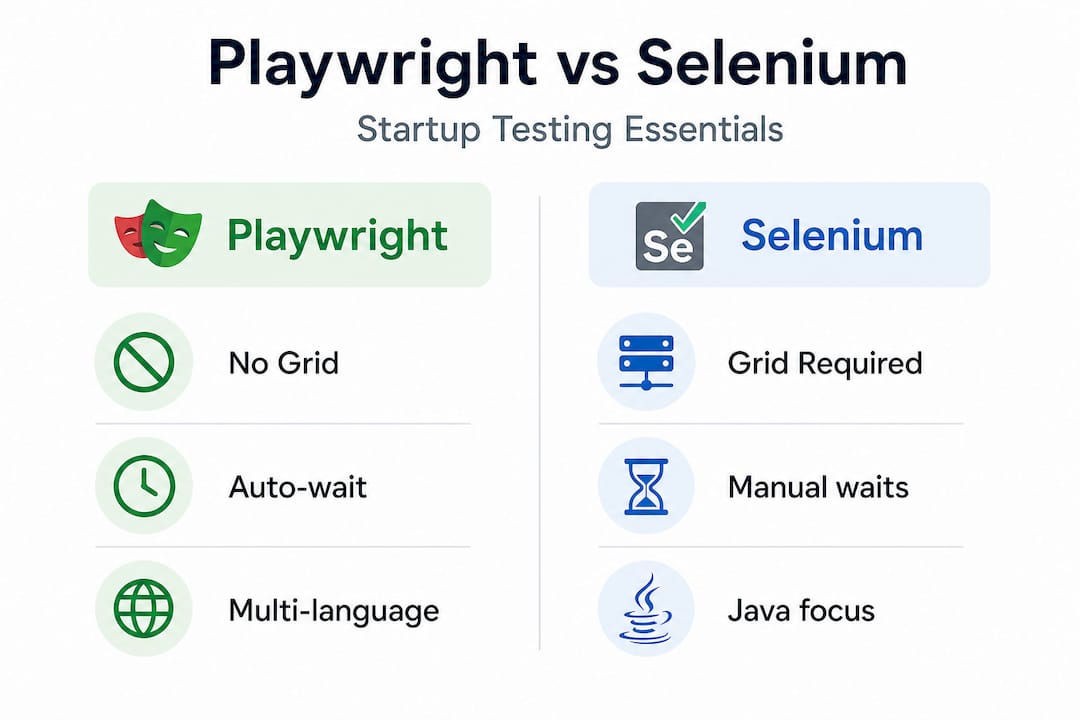
Playwright’s efficiency gains are also measurable in sprint velocity. Teams that switch from Selenium typically see test execution times drop significantly, which translates directly into shorter feedback loops between a developer committing code and knowing whether something broke.
One critical nuance worth raising: Playwright’s retry mechanism is powerful but easily misused. Teams sometimes set high retry counts and celebrate green pipelines, not realizing they are masking deeper instability. A test that passes on its third attempt is not a reliable test. It is a warning sign that deserves a trace viewer session, not a thumbs up in Slack.
Pro Tip: Set retries to 1 in CI and zero in local development. Any test that needs more than one retry in CI is a candidate for immediate triage, not just a quiet pass.
The key advantages to keep front of mind:
- No Selenium Grid means simpler, cheaper CI infrastructure
- Native JavaScript and TypeScript support fits most startup stacks
- Auto-waiting reduces flakiness from timing issues
- Parallel test execution shortens pipeline duration
- Built-in trace viewer accelerates debugging dramatically
Getting started: Playwright setup essentials for lean teams
With Playwright’s advantages clear, let’s move into the nuts and bolts of getting your automation environment set up efficiently. The barrier to entry is genuinely low, but there are specific environment details that trip up lean teams who skip them.

Your core requirements are straightforward: Node.js (version 18 or higher is recommended), npm or yarn as your package manager, and a CI environment that can actually run headless browsers. That last point matters more than most teams realize. Common CI pitfalls include resource exhaustion from /dev/shm limitations in containerized environments, missing awaits that cause race conditions, shared state between parallel tests, and network variability that makes tests fail inconsistently.
The Playwright CLI scaffolds your project in minutes. Running “npm init playwright@latest` generates a complete project structure including a config file, example tests, and a GitHub Actions workflow if you choose it. For a lean team, this is not a nice-to-have: it is the fastest path to a working baseline without a senior automation engineer spending days on boilerplate.
Setup essentials at a glance
| Component | What to use | Why it matters |
|---|---|---|
| Runtime | Node.js 18 or higher | Compatibility with latest Playwright versions |
| Package manager | npm or yarn | Dependency management and scripts |
| CI platform | GitHub Actions, GitLab CI | Native Playwright support |
| /dev/shm config | --shm-size=2gb in Docker |
Prevents browser crash in CI |
| Browser versions | Lock via playwright install |
Reproducible cross-environment runs |
| Linting | ESLint with no-floating-promises | Catches missing awaits early |
Configuring your CI environment properly is where most teams cut corners and pay the price later. In Docker-based CI runners, the default shared memory size is 64MB, which is insufficient for running Chromium. Setting /dev/shm to at least 1GB prevents mysterious browser crashes. Allocating at least 2 CPUs per worker keeps parallel tests from competing for resources.
The step-by-step setup guide from Testvox walks through exactly how to configure this for common CI platforms. For startups evaluating whether to build this internally or bring in Playwright specialists, the setup phase is often where the build-vs-buy decision becomes clear.
Essential setup checklist:
- Install Node.js and initialize a Playwright project
- Configure
playwright.config.tswith appropriate workers and timeouts - Set
--shm-sizein Docker run configs for headless browsers - Install ESLint with floating-promise rules to catch async mistakes
- Pin browser versions using
playwright installin your CI pipeline - Use environment variables for test data, not hardcoded values
Step-by-step: Implementing robust Playwright test automation
After gathering your tools and configuring Playwright, here’s how to execute an automated testing process designed for reliability at speed.
The biggest mistake startup teams make is automating everything at once. That path leads to a massive test suite that nobody trusts or maintains. Start with the user journeys that cost you the most when they break: user registration, login, checkout, payment flow, and core feature workflows. These are your “must never break” scenarios.
Here is a practical implementation sequence:
- Map your critical user journeys. List the five to ten flows that, if broken, would immediately generate support tickets or refund requests. For fintech teams, this includes KYC flows, fund transfers, and transaction history. For e-commerce, it is product search, cart management, and checkout.
- Write isolated tests. Every test must set up its own state and clean up after itself. Tests that depend on each other or on a specific database condition will fail intermittently and erode your team’s trust in automation entirely.
- Use stable, semantic selectors. Playwright supports
data-testidattributes, ARIA roles, and text content as locators. Avoid CSS selectors tied to visual styling or XPath expressions that break when the DOM changes slightly. As highlighted in common pitfalls, unstable locators are one of the top causes of CI flakiness. - Enforce async correctness with ESLint. The
@typescript-eslint/no-floating-promisesrule catches missingawaitkeywords before they reach CI. Missing awaits cause race conditions that appear as random failures, which are extremely difficult to reproduce and debug. - Use
waitForResponsefor network-dependent assertions. Rather than adding arbitrary timeouts when waiting for API calls to complete, intercept the specific network response your test depends on. This makes tests faster and fundamentally more reliable. - Triage flaky tests immediately. When a test fails inconsistently, open the Playwright trace viewer first. The trace captures screenshots, network activity, and DOM snapshots at every action. Diagnosing flakiness this way takes minutes rather than hours. If you cannot fix a flaky test in 30 minutes of investigation, delete it or escalate. A flaky test in CI is worse than no test.
- Review and iterate coverage monthly. As your product evolves, new user flows emerge and old ones change. Monthly test coverage reviews prevent your automation from becoming a museum of old user journeys.
Pro Tip: Add a TEST_SLOW_MO environment variable to your config that, when set, introduces a delay between actions. This is invaluable for visually debugging a failing test without modifying the test code.
Following this sequence connects your automation directly to an evolving QA strategy rather than treating it as a one-time project.
Troubleshooting and optimizing: Common pitfalls and quality boosters
Execution is one side of the coin. Let’s make sure your automation remains reliable and fast with deliberate troubleshooting and tuning.
“The most expensive automation is the automation your team stops trusting. One flaky test that nobody fixes is a culture problem waiting to happen.”
The most common pitfalls in startup CI environments, based on real Playwright projects:
- CI resource exhaustion: /dev/shm too small causes Chromium to crash silently
- Missing awaits: Race conditions that fail 10% of the time, passing the rest
- Shared state in parallel tests: Two tests writing to the same user account simultaneously
- Unstable selectors: CSS classes that change with every styling update
- Network variability: API response times that vary under CI load
| Problem | Playwright solution | Selenium equivalent |
|---|---|---|
| Flaky timing issues | Built-in auto-wait | Manual Thread.sleep or WebDriverWait |
| Network interception | waitForResponse, route() |
Third-party library or workaround |
| Parallel debugging | Per-test trace files | Difficult to isolate |
| /dev/shm issues | --shm-size Docker flag |
Same issue, less documentation |
| Selector stability | ARIA roles, data-testid |
Often CSS or XPath reliance |
Fixing flakiness in production CI requires CDP (Chrome DevTools Protocol) throttling for network simulation, consistent use of waitForResponse instead of timeouts, and a zero-tolerance triage policy. Teams that let flaky tests accumulate end up with a test suite that passes green even when real bugs exist, which defeats the entire purpose.
Playwright’s optimization approach at Testvox involves profiling test execution times, identifying the slowest tests, and checking whether those tests are slow because they are doing too much or because they are waiting inefficiently. Both problems are fixable.
Measuring results: Ensuring faster, more confident releases
With your Playwright automation live and tuned for quality, it’s time to measure the impact where it matters most: release velocity and product stability.
The metrics that actually tell you whether automation is working:
- Test execution time: Compare your full suite runtime week over week. If it grows faster than your test count, investigate parallelism and resource allocation.
- Defect detection rate: Track how many bugs are caught by automation before reaching QA or production. This number should rise steadily as coverage improves.
- Deployment frequency: Teams with reliable automation deploy more often because they trust their pipeline. Weekly deployment frequency is a strong leading indicator of automation health.
- Mean time to feedback: How long from a code commit to knowing whether tests pass? Rapid feedback cycles are one of Playwright’s measurable advantages over older frameworks. Sub-ten-minute pipelines are achievable even for mid-sized suites.
- Developer confidence surveys: Ask your engineers a single question every two weeks: “How confident are you that a green build means the app is working?” Track this score over time. A rising score means your automation culture is healthy.
The goal is not just faster pipelines. It is a team that ships features on Friday afternoon without anxiety. When developers trust the test suite, they merge code more often, catch issues earlier, and spend less time in manual regression sessions before every release.
Tracking automation success through these concrete metrics also makes the business case visible to non-technical stakeholders. When you can show that automation catches 80% of defects before production and reduces release cycle time by several days, the investment justifies itself clearly.
Perspective: The real secret to sustainable speed is addressing root causes, not masking flakiness
Teams that build lasting automation velocity share one habit: they treat a flaky test as a production incident, not an inconvenience.
The instinct to increase retry counts is understandable. Green pipelines feel good. Stakeholders stop asking questions. But as Microsoft’s Playwright documentation confirms, retries that pass silently mask real root causes rather than fixing them. That instability does not disappear. It accumulates until a release ships with a genuine bug that the “passing” suite failed to catch.
The teams we see ship fastest are not the ones with the most tests. They are the ones with the most trustworthy tests. A suite of 200 tests that every developer believes in is more valuable than 2,000 tests that everyone quietly ignores because they fail randomly.
The cultural shift required here is treating test triage as a first-class engineering activity, not a backlog item. When a test goes flaky in CI, someone opens the trace viewer that day. They fix the root cause or they delete the test. There is no middle ground of “we’ll deal with it next sprint.” Following a long-term QA strategy built on this discipline produces compounding returns over time.
Sustainable speed comes from investing in test reliability month after month, not from adding test volume and hoping for the best.
Take Playwright automation further with expert-backed solutions
Having explored the why and how of Playwright automation, here’s how Testvox can help fast-track your next release with proven strategies and real-world impact.

Testvox works with startups across India and the UAE to build and scale Playwright automation frameworks that actually hold up in production CI environments. Whether you need a team to set up your foundational suite, outsource ongoing automation to a managed QA partner, or get a one-round deep-dive audit before your beta launch, Testvox brings the specialized experience that lean teams cannot afford to build from scratch. With deep roots in fintech and e-commerce testing, Testvox understands exactly which user journeys carry the highest risk and how to protect them. Reach out to learn how the right automation setup can cut your release cycle without cutting corners on quality.
Frequently asked questions
How does Playwright reduce test flakiness compared to Selenium?
Playwright’s built-in auto-waiting and rapid feedback cycles eliminate the manual timing hacks that make Selenium tests brittle, while stable ARIA-based selectors hold up better when UI changes.
What are the most common pitfalls for Playwright CI in startups?
Resource limits, missing awaits, parallel shared state, and unstable locators are the most common; all are fixable with specific configuration changes like increasing /dev/shm, adding ESLint rules, and using waitForResponse.
Can Playwright support both JavaScript and Java test writing?
Yes, Playwright provides official Java and JS libraries, making it easy for startup engineering teams in India and the UAE to adopt it without switching languages.
How do I measure if automation is improving our release pipeline?
Track test execution time, defect detection rate before production, deployment frequency, and run developer confidence surveys every two weeks to see whether trust in the pipeline is growing.
Recommended
- Playwright features every QA team needs to use now
- Cut testing time by 70% with Playwright automation
- How Playwright Simplifies Cross-Browser Testing for Startups
- Upgrade Your QA Strategy with Playwright Automation


ABOUT TESTVOX

Testvox is a software testing company help your product reach its full potential. Get full cycle testing for your mobile and web applications while ensuring all quality assurance standards are met... Read More
100+
Applications
Assured
Assured

5 Star Rating

5 Star Rating
“By participating in our release lifecycle, Testvox's standard QA process has helped us to launch quality products faster.”

Rima Hudaifa
Manager | Cadvil
Manager | Cadvil
