
 8 January 2026

One Common Error While Working with Selenium
6 July 2026
 8:33 MIN Read time
  BY
sumayya MH
BY
sumayya MH
Selenium is a popular automation testing framework for web applications. It allows QA engineers to automate repetitive tasks, run regression tests more quickly, and enhance software quality.
Yet, even seasoned automation testers face unexpected challenges when using Selenium. A frequent issue is element focus problems, where Selenium interacts with the incorrect field or fails because the target web element is not active.
This blog discusses this common Selenium error, its causes, and how to fix it using JavaScript and Selenium WebDriver.
Understanding the Element Focus Issue in Selenium
In web automation, Selenium works with elements like:
- Text fields
- Buttons
- Dropdowns
- Checkboxes
- Radio buttons
Sometimes, after an action, a webpage may automatically move the cursor or refresh certain fields. This can lead to Selenium attempting to type into a field that is inactive or incorrect, resulting in test failures.
This problem is particularly frequent in:
- Banking applications
- Enterprise portals
- Legacy web applications
- ERP and CRM systems
- Applications with dynamic JavaScript content
Example Scenario
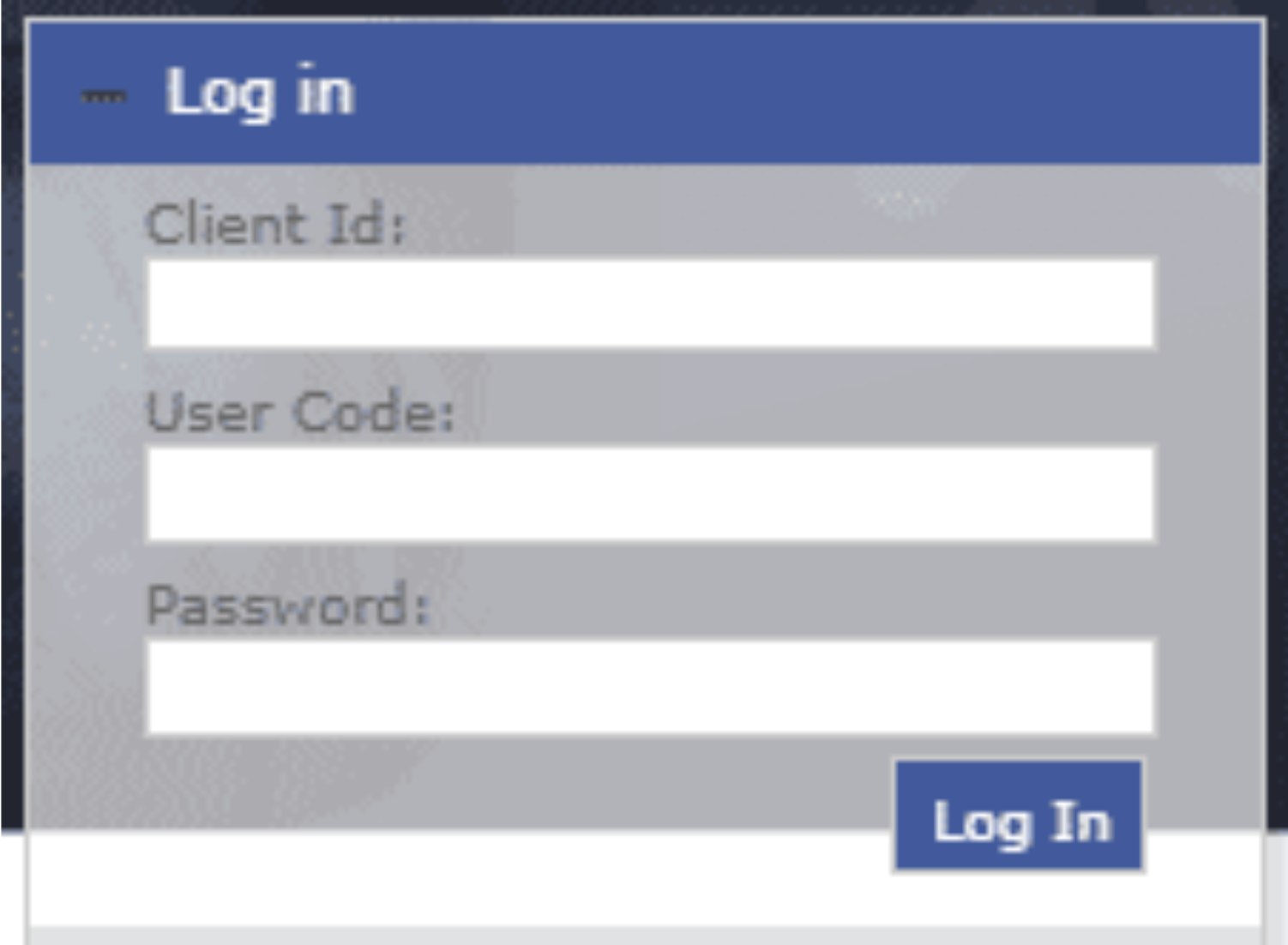
Imagine a login page with these fields:
- Client ID
- User Code
- Password
- Login Button
Here’s a typical sequence of events:
- Selenium inputs the Client ID.
- The application checks the Client ID.
- Part of the login form refreshes.
- The cursor goes back to the Client ID field.
Selenium then tries to enter the User Code and Password.
Since those fields are no longer focused, the login attempt fails.
Even though the automation script appears correct, the application’s behavior disrupts the execution.
Why Does This Error Occur?
Several factors can lead to focus issues in Selenium automation.
Dynamic Page Refresh
Many modern applications refresh certain parts of a page after data entry, which can change the active element.
JavaScript Events
Web pages frequently utilize JavaScript events such as:
- onFocus
- onBlur
- onChange
- onKeyUp
These events can unexpectedly reset or shift the cursor.
AJAX Updates
AJAX calls can update sections of a webpage without reloading the whole page, potentially recreating input fields.
Slow Rendering
If Selenium attempts to interact with an element before it is fully rendered, it may lose focus or generate exceptions.
Solution to the Issue
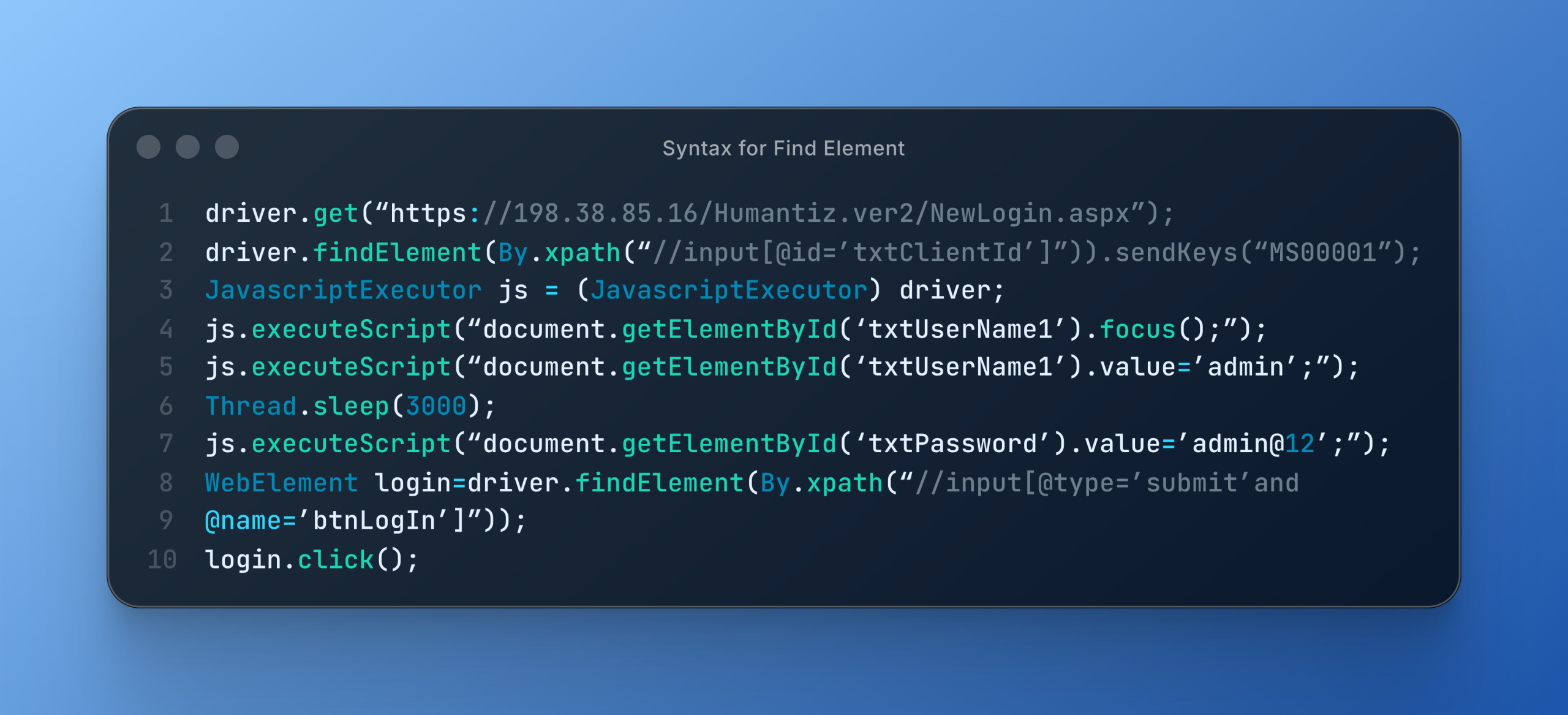
A practical solution is to explicitly focus on the necessary element before entering data.
Selenium offers the findElement() method to locate a single web element, while findElements() is beneficial when there are multiple matching elements.
For applications where standard Selenium interactions do not work, the JavaScript Executor can directly place the cursor in the desired field before typing.
Using XPath also assists Selenium in uniquely identifying the correct element.
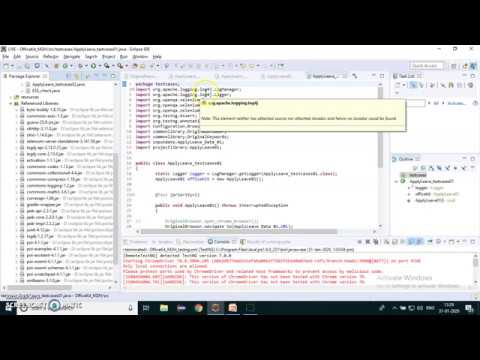
Syntax for Find Element
Best Practices to Avoid Selenium Focus Issues
To enhance the reliability of your automation scripts, adhere to these best practices.
Utilize Explicit Waits Instead of Thread.sleep()
Explicit waits boost script stability by ensuring elements are ready for interaction before proceeding.
Check Element Visibility
Always confirm that the element is visible before entering any text.
Helpful conditions include:
- visibilityOfElementLocated()
- elementToBeClickable()
Use Reliable Locators
Steer clear of fragile XPath expressions when possible.
Opt for:
- ID
- Name
- CSS Selector
These locators tend to be quicker and more dependable.
Manage Dynamic Content with Care
Applications that use AJAX or JavaScript frameworks often recreate DOM elements. Wait for updates to complete before interacting.
Minimize JavaScript Usage
JavaScript Executor is a powerful tool, but it should only be employed when standard Selenium methods fail to interact with an element reliably.
Common Selenium Exceptions Related to Focus Issues
Issues with element focus can cause various Selenium exceptions, such as:
- ElementNotInteractableException
- StaleElementReferenceException
- NoSuchElementException
- ElementClickInterceptedException
By understanding these exceptions, testers can swiftly determine if the problem is due to page rendering, focus, or timing.
Conclusion
Element focus problems are one of the frequent difficulties in Selenium automation testing, especially in apps with dynamic content and JavaScript-based user interfaces.
Luckily, these problems can usually be fixed by using Selenium’s element locating techniques along with JavaScript Executor when needed. Additionally, implementing explicit waits, reliable locators, and effective automation strategies will enhance the stability and maintainability of your test scripts.
By grasping how web pages manage focus and user interactions, QA teams can minimize flaky tests, boost automation reliability, and ensure quicker, more consistent releases.
Why Choose Testvox for Selenium Automation Testing?
At Testvox, we assist startups and enterprises in creating dependable Selenium automation frameworks that enable quicker releases and improved software quality.
Our QA specialists develop scalable, maintainable, and CI/CD-compatible automation solutions customized for your application.
Whether you are updating an existing test suite or starting automation from the ground up, Testvox guarantees that your testing process is effective, stable, and prepared for the future.
Contact Testvox today to speed up your Selenium automation journey with professional QA services.

8 January 2026



ABOUT TESTVOX

Testvox is a software testing company help your product reach its full potential. Get full cycle testing for your mobile and web applications while ensuring all quality assurance standards are met... Read More
100+
Applications
Assured
Assured

5 Star Rating

5 Star Rating
“By participating in our release lifecycle, Testvox's standard QA process has helped us to launch quality products faster.”

Rima Hudaifa
Manager | Cadvil
Manager | Cadvil
