 6 August 2025







UAE
Testvox FZCO
Fifth Floor 9WC Dubai Airport Freezone
 23 April 2026
 8:33 MIN Read time
  BY
Aparna Arangil
BY
Aparna Arangil
Cross-browser testing should be a safety net, not a source of dread. Yet many fintech and e-commerce teams still burn hours managing Selenium WebDriver setups, chasing flaky test results, and watching CI pipelines collapse under browser-specific bugs. Legacy tools were built for a simpler web. Today’s applications handle real-time payment flows, dynamic product catalogs, and multi-device sessions that older frameworks simply were not designed to test reliably. Playwright changes that equation. Built by Microsoft, it gives startups a single, modern toolchain to test across Chromium, Firefox, and WebKit with less overhead, fewer failures, and far faster feedback loops. This guide breaks down exactly how.
| Point | Details |
|---|---|
| Unified automation | Playwright uses one API and suite for all major browsers, saving time and effort. |
| Fewer setup headaches | Built-in browser management eliminates the need for extra tools or drivers. |
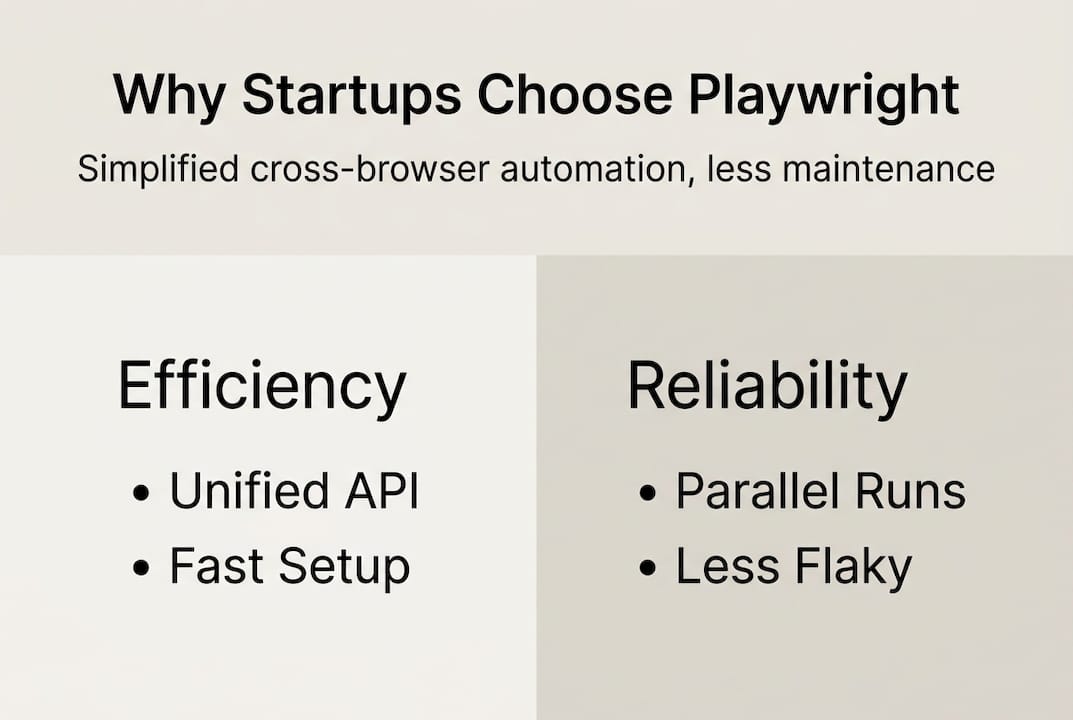
| Faster, stable tests | Playwright’s actionability checks and parallelism reduce flaky tests and speed up releases. |
| Specialized features | Network interception, device emulation, and API mocking make it ideal for fintech and e-commerce workflows. |
| Scales with your team | Native CI/CD support and easy configuration allow startups to grow their QA without friction. |
Browsers do not render code identically. A checkout flow that works in Chrome can silently break in Firefox. A payment modal that displays correctly on Safari might clip input fields on an older WebKit build. These are not edge cases. They are the kind of defects that erode user trust in seconds, especially in fintech where confidence in the interface directly influences whether someone completes a transaction.
For fintech app testing teams, the stakes are compounded. A failed payment flow does not just frustrate a user. It triggers support tickets, compliance questions, and sometimes regulatory scrutiny. E-commerce platforms face similar pressure: a broken cart or a mis-rendered promo banner on mobile Safari can mean measurable revenue loss within hours.
Traditional tools made this harder than it needed to be. Selenium, while powerful, requires separate WebDriver binaries for each browser, manual version matching, and ongoing maintenance as browsers update. Even well-funded QA teams found functional testing strategies breaking down under the weight of flaky, slow, high-maintenance suites.
Modern cross-browser automation needs to support:
Playwright was purpose-built for exactly these demands. Best practices for Playwright in fintech and e-commerce highlight its ability to handle dynamic content, forms, and API mocking for payment flows, with data-testid for stable locators in refactoring-heavy apps, and parallel sharding like “–shard=1/4` to cut CI time for large suites.
The browser is the interface between your product and your user. If that interface breaks on even one engine, you have not shipped a working product.
With the stakes clear, it is essential to understand what sets Playwright apart for these domains.
One of the biggest friction points with legacy tools is installation. Getting Selenium to work across browsers means downloading matching WebDriver binaries, managing version compatibility, and updating those binaries every time a browser auto-updates. For a startup with a small QA team, that maintenance tax adds up fast.

Playwright eliminates that entirely. As cross-browser testing research shows, Playwright simplifies cross-browser testing by bundling its own versions of Chromium, Firefox, and WebKit, eliminating the need for separate WebDriver installations or browser-specific configurations required in tools like Selenium.
The onboarding experience looks like this:
npx playwright install to get all three browsers in one stepThis matters enormously for startup velocity. When a new engineer joins, they are testing across all browsers within minutes, not days. The Playwright setup tutorial documents how this flow works end-to-end, confirming just how low the barrier to entry really is.
Testvox’s own Playwright automation guide walks through how teams can go from zero to a working multi-browser suite without the painful configuration cycles that once defined cross-browser QA.
Pro Tip: Use Playwright’s projects capability in playwright.config.ts to configure concurrent test runs for all target browsers. A single command then validates Chromium, Firefox, and WebKit simultaneously, slashing your total test time.
This zero-friction setup is not just a developer convenience. It removes the bottleneck that causes teams to skip cross-browser coverage entirely, which is often the real reason browser-specific bugs reach production.
Now that setup is streamlined, let’s explore how Playwright’s architecture improves the actual testing process.
Most cross-browser test failures are not browser failures. They are maintenance failures. Teams write tests for Chrome, then discover that adding Firefox coverage means rewriting selectors, restructuring waits, or duplicating entire test files. That complexity quickly becomes a reason to skip broader coverage.
Playwright solves this with a genuinely unified API approach that runs the same test code unchanged across Chromium, Firefox, and WebKit via simple projects configuration in playwright.config.ts. One test file. Three browser engines. No conditional logic required.
Here is how a typical multi-browser rollout looks in practice:
playwright.config.ts with names and browser typesnpx playwright test and watch results across all configured enginesThis approach directly reduces what engineers call “drift bugs,” the subtle failures that appear when browser-specific test branches fall out of sync with each other. When there is only one test, there is only one thing to maintain.
| Feature | Playwright | Selenium | Cypress |
|---|---|---|---|
| Unified browser API | Yes | No | Partial |
| Bundled browsers | Yes | No | No |
| Native WebKit support | Yes | Limited | No |
| Setup complexity | Low | High | Medium |
| Parallel execution | Built-in | Manual | Paid tier |
For teams working to build scalable QA automation, this table tells the story clearly. Playwright wins on the factors that matter most for fast-moving startups.
Playwright vs Cypress benchmarks in 2025 further confirm that Playwright’s architectural choices translate into real performance and reliability gains at scale.
A test suite that only covers Chrome is not a cross-browser suite. It is false confidence at scale.
Having covered the unified workflow, it is important to recognize how Playwright further boosts reliability during actual test execution.
Flaky tests are the silent killer of test culture. When engineers cannot trust their test results, they stop trusting the suite. They start ignoring failures. Coverage drops. Bugs reach production. The root cause of most flakiness is timing: a test clicks before an element is ready, or asserts before data has loaded.
Playwright’s solution is auto-waiting. Built-in actionability checks perform verification that elements are visible, stable, enabled, and receiving events before actions like click or fill execute. No manual waits. No arbitrary timeouts. The framework does the work.
Combined with browser context isolation, which gives each test its own clean session, and parallel execution across workers, the result is a suite that runs faster and fails less often.
| Metric | Playwright | Selenium | Cypress |
|---|---|---|---|
| Avg test execution | 4.66s | 7.2s | 5.0s |
| CI runner hours/day | 16 | 32 | 32 |
| Flaky failure rate | Low | High | Medium |
Benchmark data shows Playwright executes tests 38 to 50% faster than Selenium and Cypress in cross-browser scenarios, cutting CI runner usage from 32 hours per day down to 16. Firefox is the slowest engine at about 34% slower than Chromium, with WebKit at roughly 13% slower.
For startups deploying multiple times per day, that speed difference is not cosmetic. It is the difference between tight feedback loops and long, blocking CI queues. Learning from JavaScript testing frameworks used in production environments confirms that parallel execution scales reliably with Playwright’s architecture.
Pro Tip: Use Playwright’s trace viewer when a test fails inconsistently. It records every browser action with screenshots and network logs, so you can replay the exact failure and identify the root cause without guesswork. Avoid common Playwright pitfalls like hardcoded sleeps or force clicks, which defeat auto-waiting entirely.
Real fintech and e-commerce applications do not just render pages. They call APIs, request permissions, simulate device locations, and handle multi-step payment flows. Testing these workflows reliably across browsers requires features that go well beyond simple click-and-assert automation.
Playwright’s native feature set includes network interception, permissions handling for geolocation and notifications, device emulation, and both headless and headful operation modes. These are not plugins or extensions. They are built into the framework.
For a fintech team testing a payment gateway:
Edge cases require specific handling too. Browser-specific behaviors such as media codec differences in WebKit and hover or scroll variations in Firefox can cause unexpected test failures. Role-based locators like getByRole produce more stable selectors than CSS paths. Avoiding force: true and using expect.poll for polling prevents false positives in dynamic interfaces.
For functional test automation in complex applications, this feature depth is what separates Playwright from lighter-weight tools that break down when the UI gets sophisticated.
Pro Tip: In fintech apps undergoing frequent code refactoring, use data-testid attributes as your selector strategy. Unlike CSS class names or DOM structure, test IDs are stable across UI redesigns and team-driven refactoring cycles.
All these features set the stage for startups to confidently scale and innovate without being slowed by test friction.
We have watched QA culture shift dramatically since Playwright became the framework of choice for serious test teams. Before 2023, the most common failure mode was not bad tests. It was abandoned tests. Teams would build a Selenium suite, watch it grow brittle, and quietly stop maintaining it.
Playwright broke that cycle. Its zero-setup approach and unified API removed the friction that caused coverage to collapse. Teams using advanced QA techniques built on Playwright report fewer defects reaching staging and dramatically shorter feedback loops in CI.
But here is the honest reality: Playwright is not magic. Anti-patterns like hardcoded sleeps, force: true overrides, and CSS-path selectors will still create flaky, unmaintainable suites. The framework provides the right tools. Engineering discipline determines whether you use them correctly.
The greatest ROI comes when Playwright is embedded in a “test everything, break nothing” CI philosophy. When every pull request triggers a full cross-browser run, teams stop treating QA as a phase and start treating it as continuous feedback. That mindset shift, enabled by Playwright’s speed and reliability, is where quality really improves. Understanding functional testing as a continuous practice, not a final gate, is the cultural change that Playwright makes possible.
If your team is still wrestling with flaky test suites or inconsistent browser coverage, Playwright is the right direction. But the framework is only as effective as the strategy behind it.

Testvox works directly with fintech and e-commerce startups to build Playwright automation suites that scale with your product. From fintech QA best practices to full end-to-end fintech testing across browsers, our team has hands-on experience with the real-world scenarios that matter most. Whether you need a quick QA audit or ongoing automation support, explore how we helped a Y Combinator startup through our QA services for startups. Reach out and let’s accelerate your quality cycle together.
No. Playwright bundles Chromium, Firefox, and WebKit directly, so there is no need to install or manage separate WebDriver binaries as you would with Selenium.
Yes. Playwright’s unified API across browsers means a single test suite runs unmodified across Chromium, Firefox, and WebKit using the projects setting in playwright.config.ts.
Playwright auto-waits for actionability before executing clicks or inputs, and each test runs in an isolated browser context, which eliminates most timing-related false failures without manual wait logic.
Benchmarks confirm Playwright runs 38 to 50% faster than Selenium and Cypress, and can cut daily CI runner usage from 32 hours down to 16 hours for large test suites.
Playwright supports API mocking for payment flows, device emulation for mobile checkout, and stable data-testid locators that hold up through aggressive code refactoring cycles.
6 August 2025
16 April 2026
16 April 2026





Let us know what you’re looking for, and we’ll connect you with a Testvox expert who can offer more information about our solutions and answer any questions you might have?
